Version 1.1 · 44 built-in tools · bash, zsh, fish
Autocompletion that knows your bioinformatics tools.
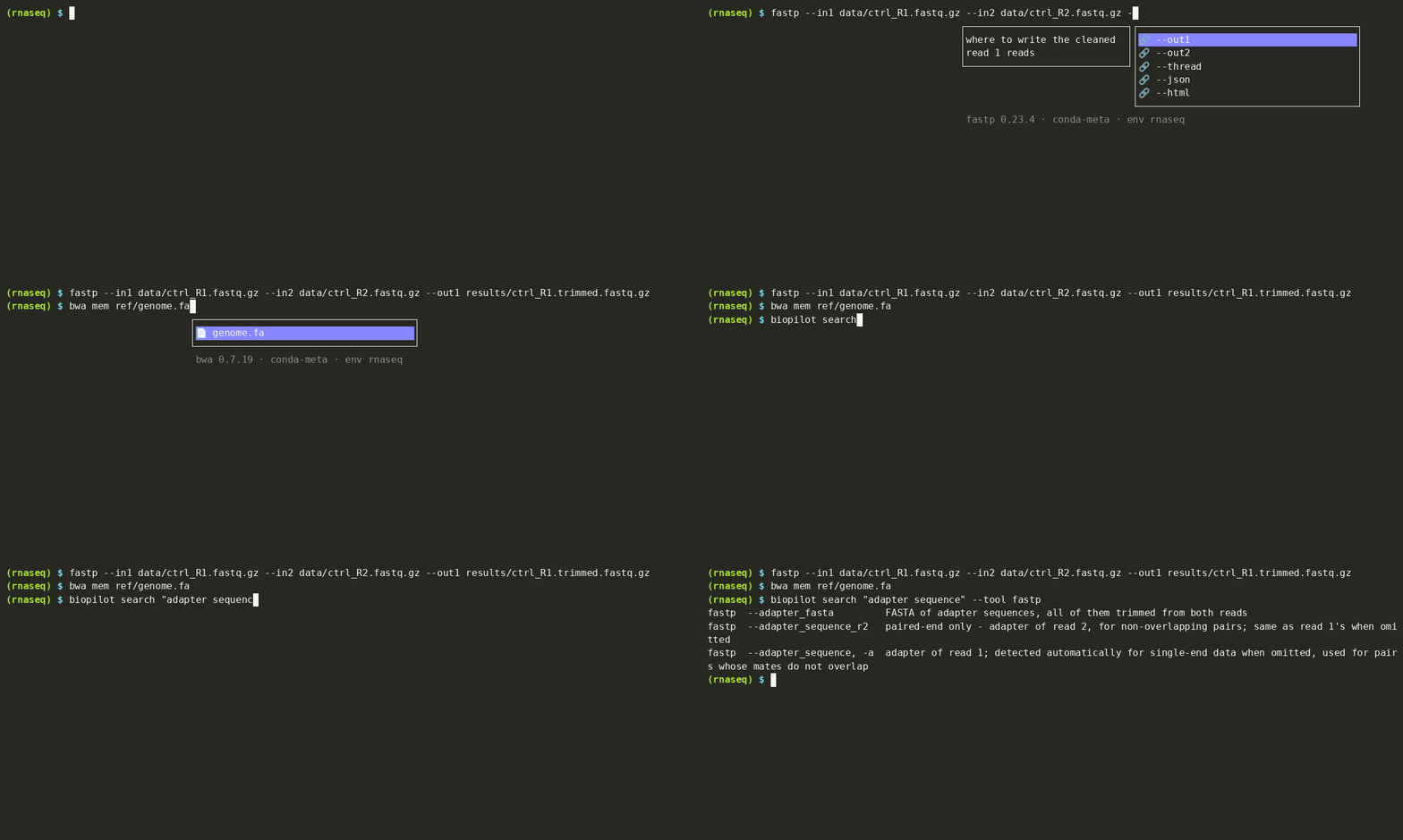
While you type, BioPilot suggests the options, files and values that fit fastp, samtools, bwa or minimap2, as they are actually installed in your active environment, for the project you are working in.
Install BioPilot Browse the commands
-
Local Private by design
No account, no network access, no telemetry, no AI service. Everything runs on your machine.
-
Versioned Follows your environment
Options come from the version of the tool you really run, and follow
conda activate. -
Project Knows your files
Files of the expected format first, R1/R2 mates paired, output names derived from inputs.
biopilot createlays out a new project in one command. -
Careful Checks before you run
biopilot checkwarns about mismatched read pairs, missing files and too many threads before a job fails hours later.
Install in one line
Then add the start line to your shell: see Installation.
Where to go next
-
Requirements, installation on Linux, macOS and Windows (WSL), first steps.
-
Keys, examples, how suggestions are chosen, the status line, checking a command.
-
Every
biopilotcommand, with its options and examples. -
.biopilot.toml,rc.toml, the 44 supported tools, privacy. -
Update, uninstall, troubleshooting and the FAQ.
-
Source code, releases, issues and tool requests.